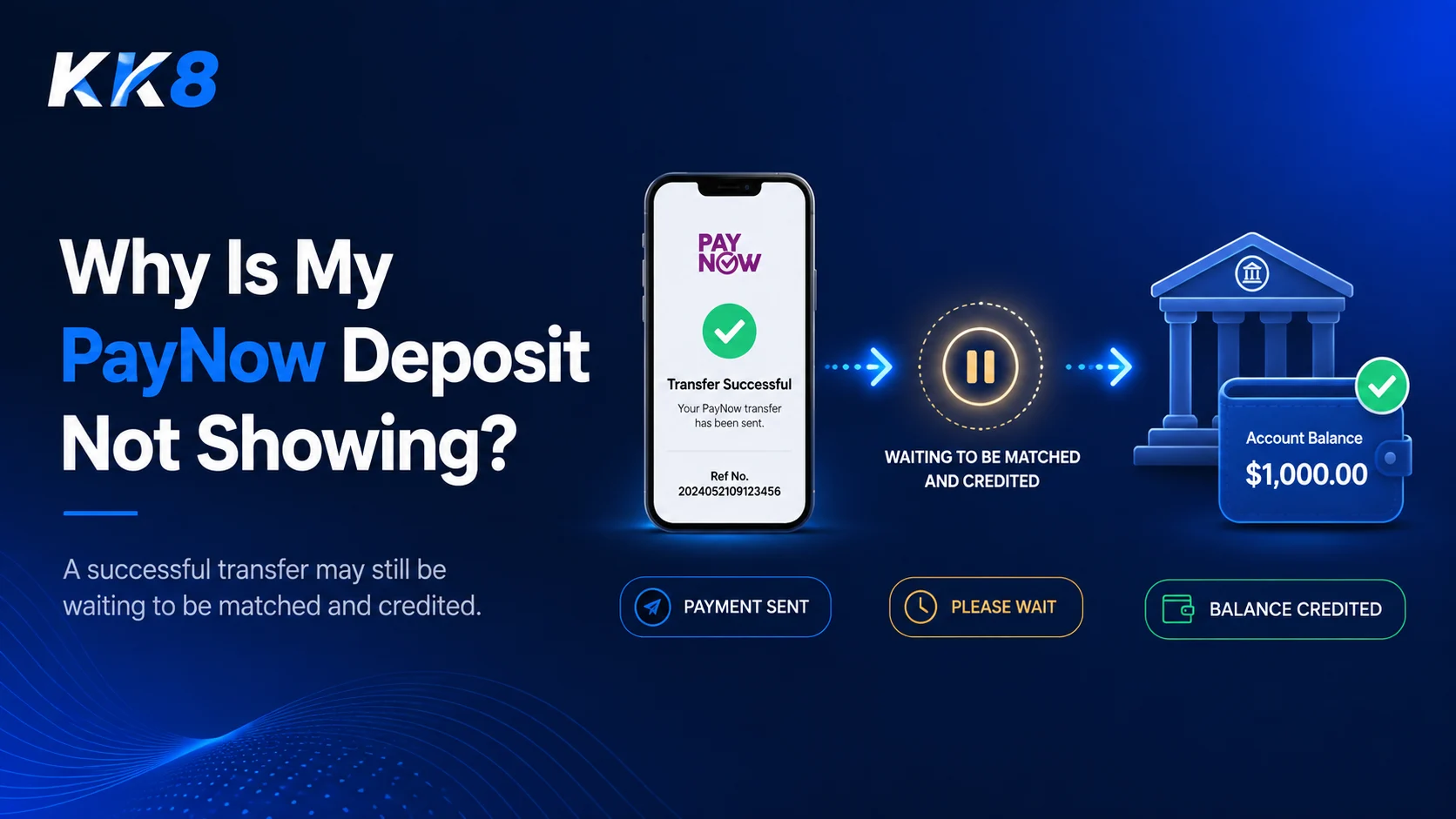
A PayNow deposit that does not appear immediately can be confusing, especially when your bank app already shows the transfer as successful.
The first thing to understand is that a PayNow transfer and a credited deposit are not always the same event. Your bank may complete the transfer successfully, but the receiving platform still needs to identify the payment, match it to your account, and update your balance. If your PayNow deposit is pending, work through the checks below before making another payment.
Explore More: PayNow Casino Singapore
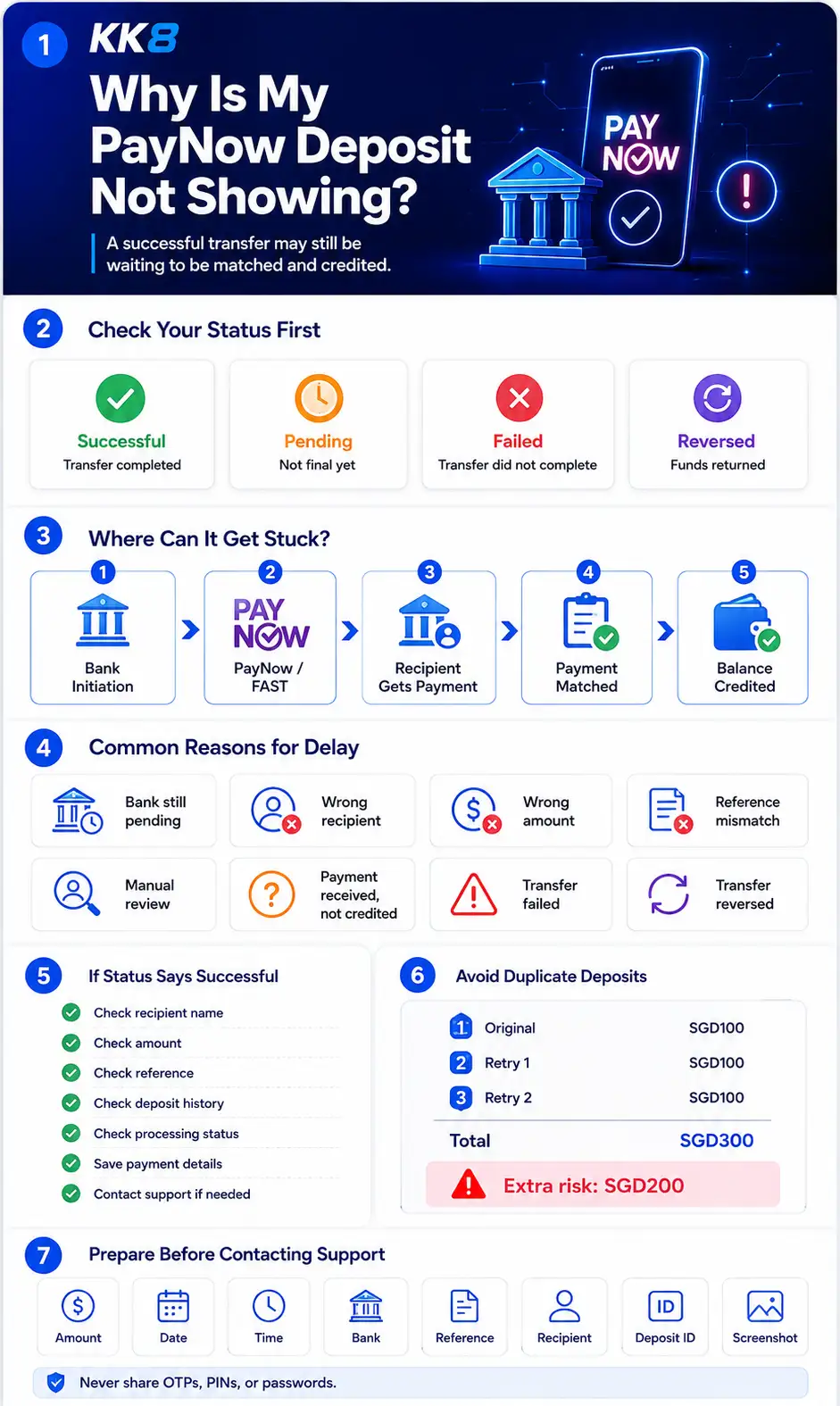
First, Check Your PayNow Transaction Status
Start with your bank app. The transaction status gives you the quickest indication of where the problem sits.
| Bank status | What it usually means | What to check next |
| Successful | The bank completed the transfer | Check recipient and deposit status |
| Pending | The transaction has not reached a final status | Monitor your banking app |
| Failed | The transfer did not complete | Check the failure reason |
| Reversed | Funds were returned after an attempted transfer | Review your transaction history |
A successful PayNow transfer means the banking stage completed. It does not always mean the receiving platform has already credited the funds to your gaming balance.
Where Can a PayNow Deposit Get Stuck?
A useful way to troubleshoot a missing deposit is to separate the payment into five stages.
1. Bank initiation
You enter the recipient details, amount, and payment information in your banking app.
At this stage, problems may include:
- insufficient account balance
- transfer limits
- bank security checks
- incorrect recipient details
- temporary banking issues
2. PayNow and FAST transfer
PayNow transfers Singapore-dollar payments through FAST between participating financial institutions. If the bank still shows the transaction as pending or failed, the problem may still be at the payment stage.
3. Recipient receives the payment
Once the banking transfer succeeds, the funds reach the recipient account. You should still confirm that the recipient name shown in your transaction history matches the intended recipient.
4. The payment is matched
The receiving platform may need to connect the incoming payment to a specific deposit request or customer account. This is sometimes called payment reconciliation.
Matching may depend on information such as:
- deposit amount
- payment reference
- deposit ID
- account information
5. Your balance is credited
Only after the payment has been identified and processed does the platform update your balance. This is why a bank may show “Successful” while your gaming account still shows no new funds.
Read More: How PayNow Transfers Work in Singapore
Common Reasons Your PayNow Deposit Is Pending
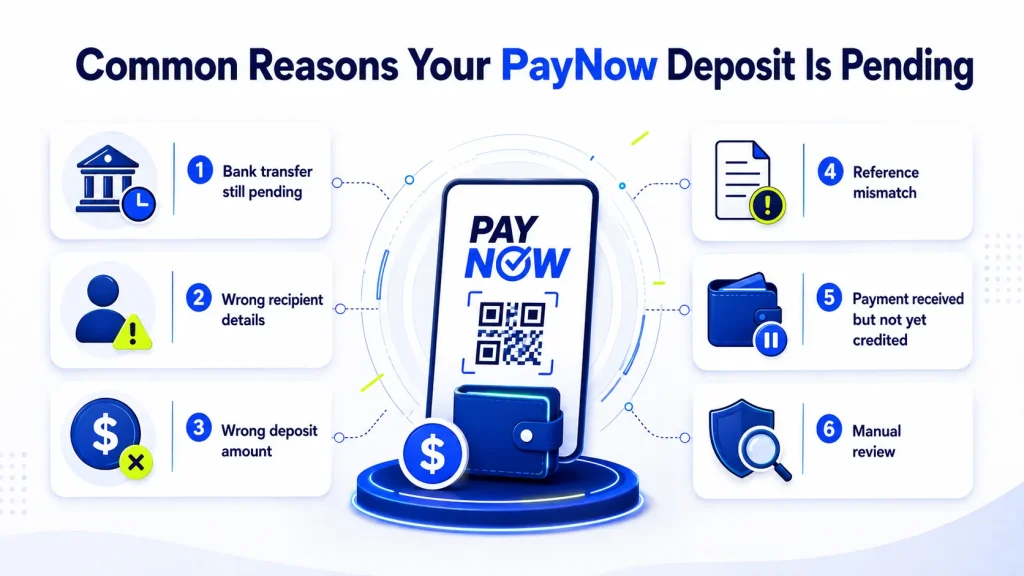
The bank transfer is still pending
If the banking app itself shows “Pending”, the transfer has not reached a final status. Check:
- whether your bank has posted any maintenance notices
- your PayNow or transfer limits
- whether the transaction eventually changes to successful, failed, or reversed
Do not assume the recipient received the money while your bank still shows a pending status.
The PayNow transfer failed
A failed transaction generally means the transfer did not complete. Your bank app may show an error or rejection message.
Common situations include:
- incorrect payment details
- account restrictions
- transfer limits
- recipient availability
- security checks
Check the exact error message before trying again.
Read more: Why Was My PayNow Payment Rejected?
The transfer was reversed
Sometimes a transaction appears to start successfully but the money later returns to your account. This is different from a deposit being successfully received but not credited.
Check your bank transaction history to confirm whether:
- funds remain deducted
- funds were returned
- the transaction status changed
The recipient details were incorrect
PayNow payments may use identifiers such as:
- mobile number
- NRIC or FIN where supported
- UEN
- Virtual Payment Address
- PayNow QR code
Always verify the recipient name shown by your banking app before confirming a transfer. If the money went to the wrong recipient, treat it as a payment error rather than a normal pending deposit.
Read more: What to Do If You Sent Money to the Wrong Casino Account
The deposit amount does not match
Some payment systems use the exact amount to help identify and match incoming payments.
For example:
Deposit request: SGD50
Amount sent: SGD55
The bank transfer itself might succeed, while the platform needs additional processing to determine which deposit request the SGD55 belongs to. Not every platform handles this situation in the same way, but sending the exact amount shown in the payment instructions reduces matching problems.
The transaction reference does not match
A payment reference may help a merchant or platform connect a transfer to the correct transaction. If the QR code or payment instructions include a reference, avoid changing it unless the platform specifically tells you to do so.
A modified or missing reference does not necessarily make the bank transfer fail. It may instead make automated payment matching more difficult.
The payment was received but not yet credited
This is one of the most important differences to understand. A typical payment path looks like this:
Bank transfer completed → Recipient receives money → Payment is identified → Deposit is matched to your account → Balance is updated
If your bank says the transfer succeeded, check the platform’s deposit history before assuming the payment has disappeared.
The deposit requires manual review
Some deposits may need additional review before being credited. Possible reasons include:
- amount mismatch
- duplicate payment
- account information mismatch
- missing payment reference
- unusual transaction activity
Exact review procedures depend on the platform.
PayNow Says Successful but My Deposit Is Still Missing
If your bank shows “Successful”, focus on the stages after the bank transfer. Check these items in order:
- Confirm the recipient name.
- Confirm the amount transferred.
- Check the payment reference.
- Look at your deposit history.
- Check whether the deposit shows “Pending” or “Processing”.
- Save your PayNow transaction details.
- Contact support if the payment remains uncredited.
This approach is more useful than making another deposit immediately.
Learn more: How to Deposit Using PayNow at an Online Casino
Should You Make Another PayNow Deposit?
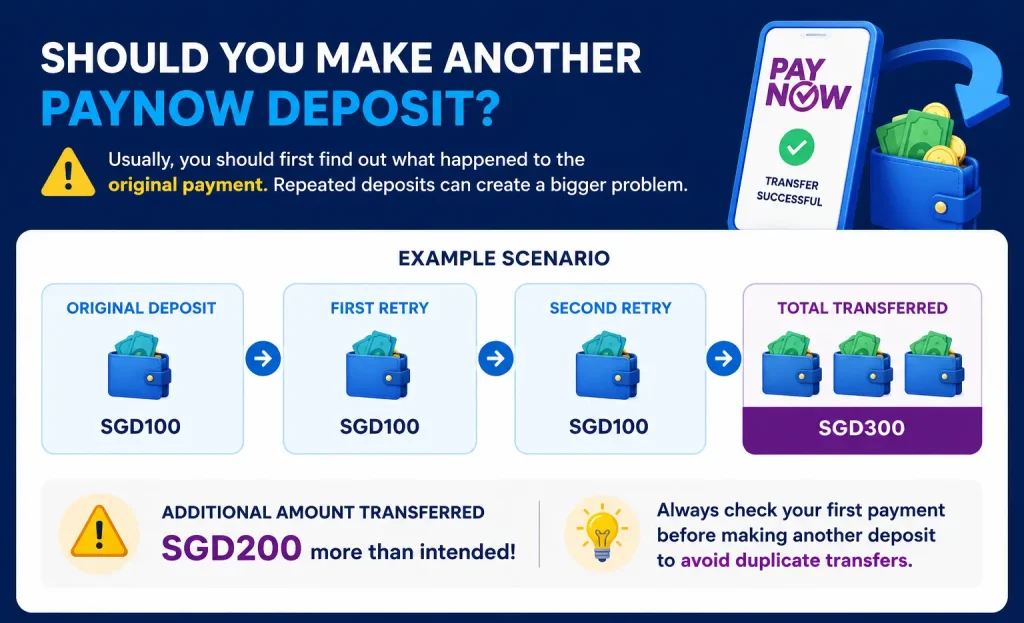
Usually, you should first determine what happened to the original payment. Repeated deposits can create a second problem.
For example:
You intend to deposit SGD100.
Your balance does not update, so you send another SGD100.
You then send a third SGD100.
If all three transfers eventually reach the recipient, SGD300 has been transferred instead of the intended SGD100.
| Payment attempt | Amount |
| Original deposit | SGD100 |
| First retry | SGD100 |
| Second retry | SGD100 |
| Total transferred | SGD300 |
The additional amount transferred is SGD200. Checking the first payment before retrying helps reduce the risk of duplicate deposits.
What Should You Prepare Before Contacting Support?
A complete transaction record makes it easier for the recipient to investigate.
Prepare:
- deposit amount
- transaction date
- exact transaction time
- sending bank
- bank transaction status
- PayNow transaction reference
- recipient name
- recipient UEN or other identifier, where relevant
- deposit or order ID
- screenshot showing the transaction status
Make sure the screenshot clearly shows the relevant transaction. Do not share passwords, PINs, OTPs, or full login credentials.
Learn more: How to Keep Your PayNow Casino Transactions Secure
PayNow Deposit Troubleshooting Checklist
Before contacting support or making another payment, check:
- Bank transaction status
- Whether money was deducted
- Recipient name
- PayNow identifier
- Exact amount transferred
- Payment reference
- Deposit history
- Deposit status
- Transaction screenshot
- Whether the payment was reversed
The key question is not simply, “Why is PayNow slow?” Instead, work out which stage has not been completed.
Bank → PayNow transfer → Recipient → Payment matching → Account balance
Once you know the stage, it becomes easier to decide whether to check with your bank or the receiving platform.
Frequently Asked Questions
Why is my PayNow deposit pending?
A PayNow deposit may remain pending because the bank transfer has not completed, the payment is still being matched, or the receiving platform has not yet credited your account. Check your bank transaction status first.
How long does a PayNow deposit take?
PayNow is designed for fast Singapore-dollar transfers through FAST. The bank transfer itself and the time a recipient takes to match and credit a deposit are separate processes. If your bank shows “Successful” but your balance is unchanged, check the platform’s deposit history.
Why does PayNow say successful but my deposit is not showing?
A successful PayNow status usually means the bank transfer completed. The receiving platform may still need to identify the payment, match it to your deposit request, and update your balance.
Should I make another deposit if my PayNow payment is pending?
First confirm whether the original payment succeeded. Sending another payment before checking the first transaction increases the risk of duplicate deposits.
What if money was deducted but my deposit was not credited?
Check whether the transaction status is successful, confirm the recipient and amount, then review your deposit history. If the transfer is confirmed but no balance appears, prepare the transaction details and contact the recipient’s support team.
What information should I provide for a missing PayNow deposit?
Prepare the amount, date, exact transaction time, bank name, transaction status, PayNow reference, recipient details, deposit ID, and a screenshot showing the transfer.
What should I do if I sent PayNow to the wrong recipient?
Contact your bank promptly and provide the transaction details. Keep screenshots and reference numbers for the investigation. Avoid sending another payment until you verify the correct recipient.