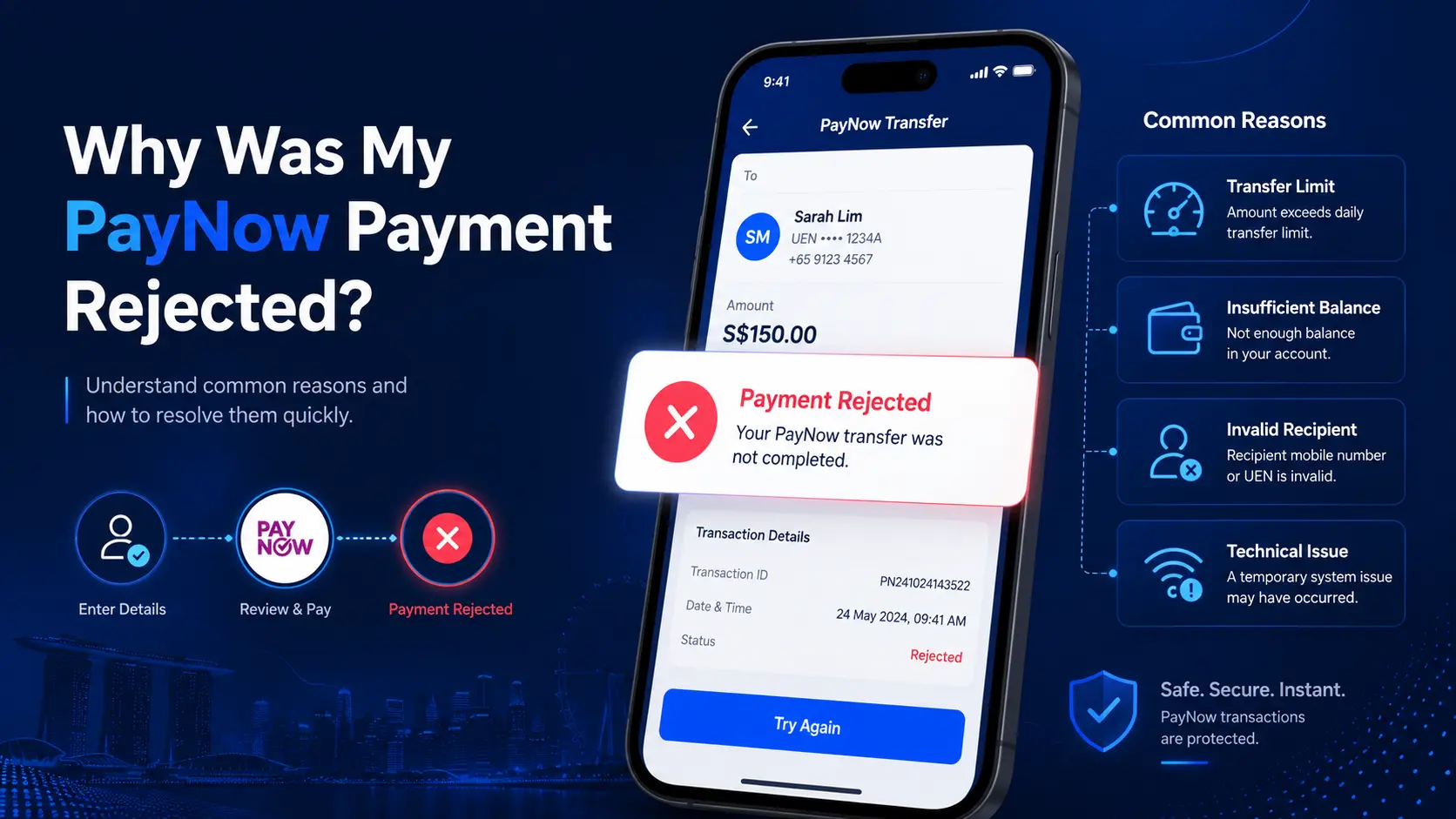
A rejected PayNow payment usually means the transfer did not complete successfully. The cause might be as simple as an exceeded transfer limit, insufficient available funds, an invalid recipient, or a temporary banking issue.
The first step is not to send the payment again. Check your bank transaction history and confirm what happened to the original transfer.
A rejected payment is also different from a successful PayNow transfer that has not appeared in your casino balance. If your bank already shows the payment as successful, the issue sits later in the payment process.
Explore More: PayNow Casino Singapore
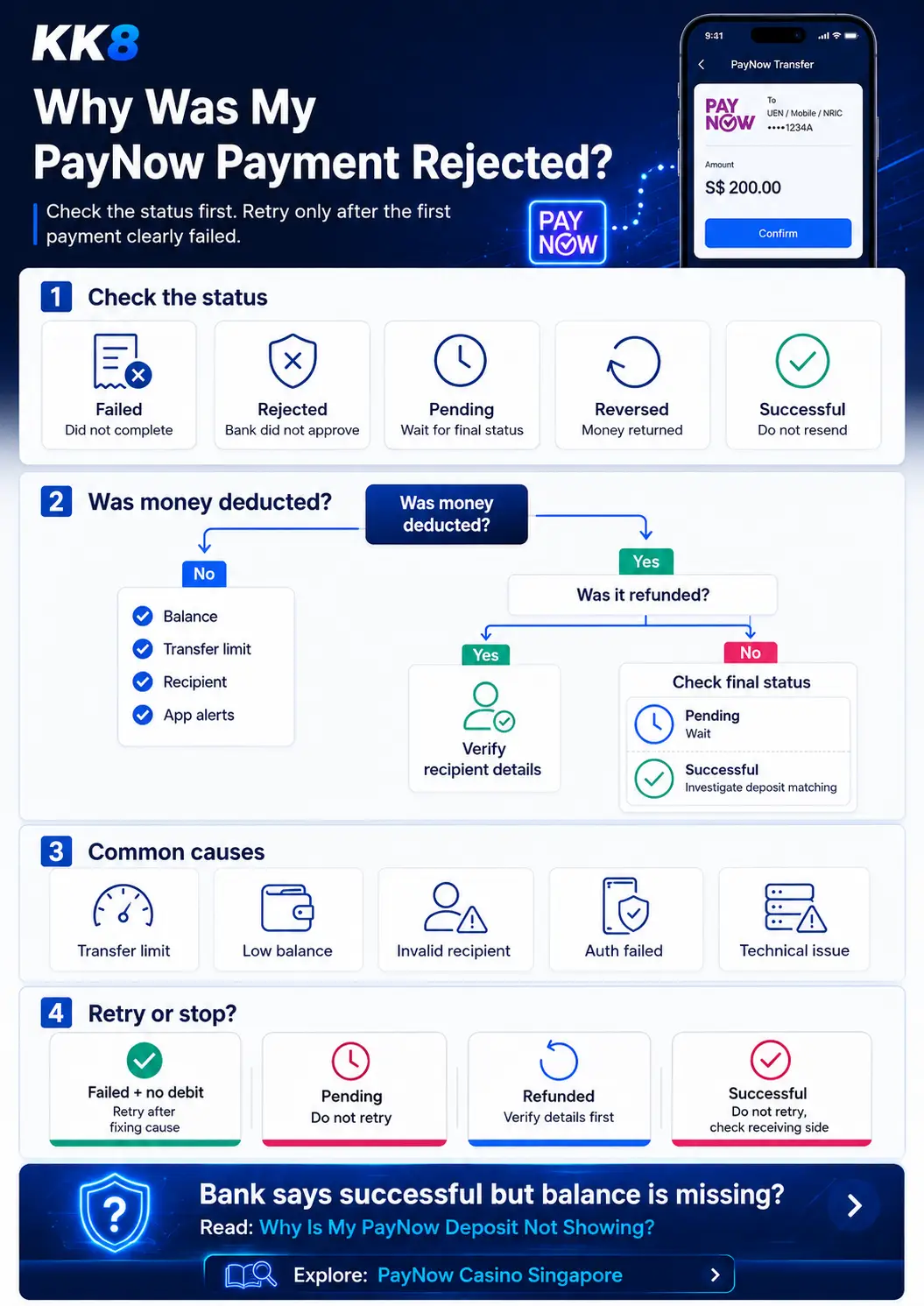
First, Check Your PayNow Transaction Status
The word “rejected” is often used broadly, but different transaction statuses mean different things.
| Transaction status | What it usually means | Should you send another payment? |
| Failed | The transfer did not complete | Only after identifying the cause |
| Rejected | The bank did not approve the transfer | Check the rejection reason first |
| Pending | The transaction has no final status yet | No |
| Reversed | Funds were deducted and later returned | Check why it was reversed |
| Successful | The bank completed the transfer | No |
This distinction matters. If your bank shows “successful” but your casino balance has not changed, the payment itself was not rejected at the banking stage.
Read more: Why Is My PayNow Deposit Not Showing?
Was Money Deducted From Your Bank Account?
This is the fastest way to narrow down the problem. It helps you quickly identify whether the issue is with your bank, your balance, or the recipient details.
If No Money Was Deducted
The transfer likely failed before settlement. Check:
- Your available balance
- Your transfer limit
- The recipient details
- Any authentication request
- Your bank app for an error message
- Whether the bank is undergoing maintenance
Do not assume the transfer failed for one specific reason unless the bank provides an error message.
If Money Was Deducted
Check the transaction history again. There are three common outcomes.
Funds were returned:
The payment might have been reversed.
Transaction is still pending:
Wait for a final status before making another transfer.
Transaction shows successful:
The banking transfer completed. The issue might sit with payment matching or account crediting instead.
Common Reasons a PayNow Payment Is Rejected
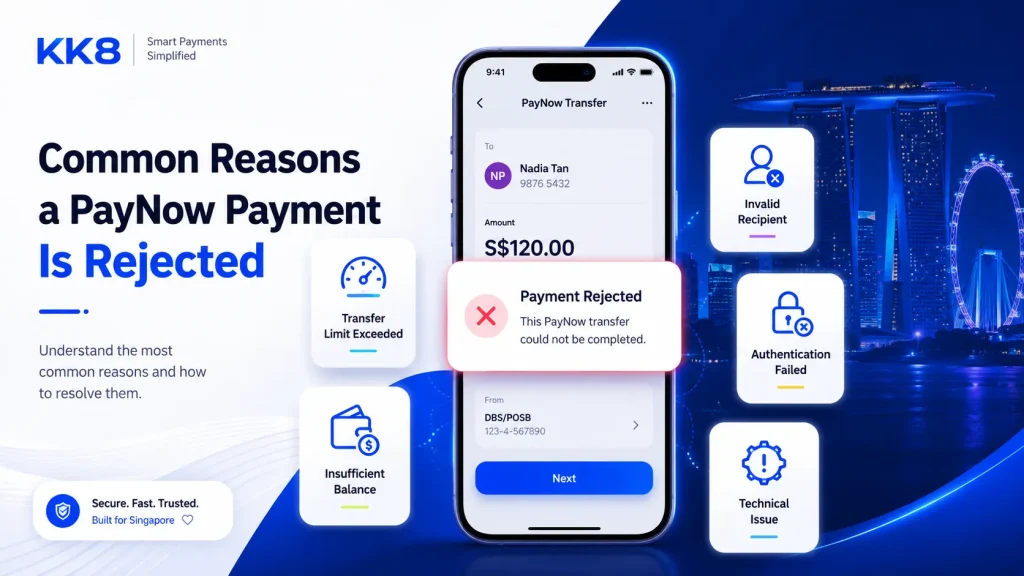
You Exceeded Your Transfer Limit
Having enough money in your bank account does not always mean you have enough transfer allowance remaining. Banks apply transaction limits, and these limits differ between banks and account settings.
Example:
Your configured daily transfer limit is S$1,000.
You already transferred S$750 earlier in the day.
Your remaining allowance is:
S$1,000 – S$750 = S$250
If you attempt another S$400 transfer, the payment exceeds your remaining allowance by S$150. Your account might still contain several thousand dollars, but the payment might fail because of the transfer limit.
Check your bank app for your current PayNow or transfer limit rather than relying on a general figure found online.
Your Available Balance Is Too Low
A transfer might also fail when your available balance is lower than the amount you are trying to send. Available balance is more useful than the headline account balance.
For example, your account might show S$500, but some funds might already be reserved for other transactions. If only S$320 is available and you attempt a S$400 payment, the transfer will not complete.
Check the available balance shown in your banking app before retrying.
The Recipient Details Are Invalid
PayNow transfers depend on valid recipient information. Depending on the payment setup, this might involve:
- A mobile number
- A UEN
- A PayNow QR code
- Another supported PayNow identifier
If the recipient information is incorrect or no longer valid, the transfer might fail. Always check the recipient name shown by your bank before approving a PayNow payment. Do not rely only on an old screenshot or previously saved QR code if the receiving details have changed.
Read more: What to Do If You Sent Money to the Wrong Casino Account
The Recipient Account Is Inactive or Unavailable
A PayNow payment might also fail when the receiving account is no longer active or temporarily unable to accept the transfer. In some cases, the transfer might first appear to debit your account and then be returned.
If this happens:
- Check whether a refund appears in your transaction history.
- Verify the recipient information.
- Confirm you are using the current payment instructions.
- Do not keep sending repeated transfers to the same recipient without identifying the problem.
The Transaction Was Not Fully Authorised
Banks use security checks to confirm certain transactions. If an authentication step is interrupted, expires, or is not completed, the transfer might fail.
Examples include:
- Leaving the banking app during approval
- Missing an authorisation request
- Session expiry
- Device authentication problems
If the bank asks you to authenticate the transaction, complete the approval through the official bank app. Avoid approving unexpected payment requests.
Read more: How to Keep Your PayNow Casino Transactions Secure
Your Bank Is Experiencing a Technical Problem
A rejected transaction is not always caused by your account. Banking apps and payment services sometimes experience temporary maintenance or technical problems.
You might see messages such as:
- Service temporarily unavailable
- Transaction unsuccessful
- Unable to process request
- Please try again later
Before attempting another payment, check your transaction history. You want to confirm whether the original transfer was recorded before starting a new one. This reduces the risk of sending the same payment twice.
Where Can a PayNow Payment Fail?
A PayNow payment involves more than one step. A simplified payment path looks like this:
Your bank account → Bank checks → PayNow payment instruction → FAST transfer → Recipient institution → Payment matching → Casino account balance
Different problems happen at different stages.
| Stage | Possible issue |
| Your account | Insufficient available funds |
| Bank checks | Transfer limit or authentication issue |
| Payment network | Temporary technical issue |
| Recipient | Invalid or inactive recipient |
| Payment matching | Payment cannot be matched to your account |
| Casino balance | Deposit has not been credited yet |
This is why “my PayNow payment failed” and “my PayNow deposit is missing” should not be treated as the same problem.
PayNow Rejected vs Casino Deposit Rejected
This distinction is important when troubleshooting an online casino payment. A bank rejection means the transfer itself did not complete. A casino deposit rejection might happen after the payment process reaches a later stage.
| Bank status | Casino status | What it suggests |
| Failed | No deposit | Transfer did not complete |
| Pending | No deposit | Banking status is unresolved |
| Successful | Deposit missing | Receiving-side investigation is needed |
| Successful | Deposit rejected | Platform-side payment review might be involved |
| Reversed | No deposit | Funds were returned |
If your banking app says “successful,” do not automatically send another payment because the casino balance has not updated.
What Should You Check Before Trying Again?
Use this checklist before submitting another PayNow payment:
- Check the transaction history
- Confirm whether money was deducted
- Check whether the money was refunded
- Read the exact error message
- Check your available balance
- Check your remaining transfer limit
- Verify the recipient name
- Verify the PayNow identifier or QR code
- Check whether the transaction is still pending
- Check for bank maintenance or service disruption
Most importantly, do not resend a payment that still shows as pending or successful.
Should You Retry a Rejected PayNow Payment?
It depends on the transaction status.
| Situation | Retry? | What to do first |
| Failed and no money was deducted | Yes, after fixing the issue | Check the rejection reason |
| Transfer limit exceeded | After adjusting the amount or limit | Check remaining allowance |
| Insufficient balance | After resolving the balance issue | Check available funds |
| Pending | No | Wait for a final status |
| Debited and refunded | Only after verifying details | Check recipient information |
| Successful | No | Investigate receiving-side processing |
Retrying without checking the original transaction increases the risk of duplicate payments.
What If Money Was Deducted and Then Refunded?
A deduction followed by a refund usually means the transfer did not complete as intended.
Check:
- The refund amount
- The transaction reference
- The recipient details
- The final transaction status
Example:
10:12 AM
PayNow transfer: -S$200
10:13 AM
Returned transfer: +S$200
Your net balance has not changed, but the transaction history shows the payment attempt and reversal. Do not assume the second entry is a new deposit. Review both entries together.
What If PayNow Says Successful but Your Casino Balance Is Missing?
A successful PayNow status means the bank completed its part of the transfer. It does not always mean the receiving platform has already updated your gaming balance.
The receiving platform might still need to:
- Identify the payment
- Match the transfer to your account
- Review the payment reference
- Update the account balance
At this stage, sending another payment might create a duplicate deposit.
Can Your Bank Reject Certain PayNow Transactions?
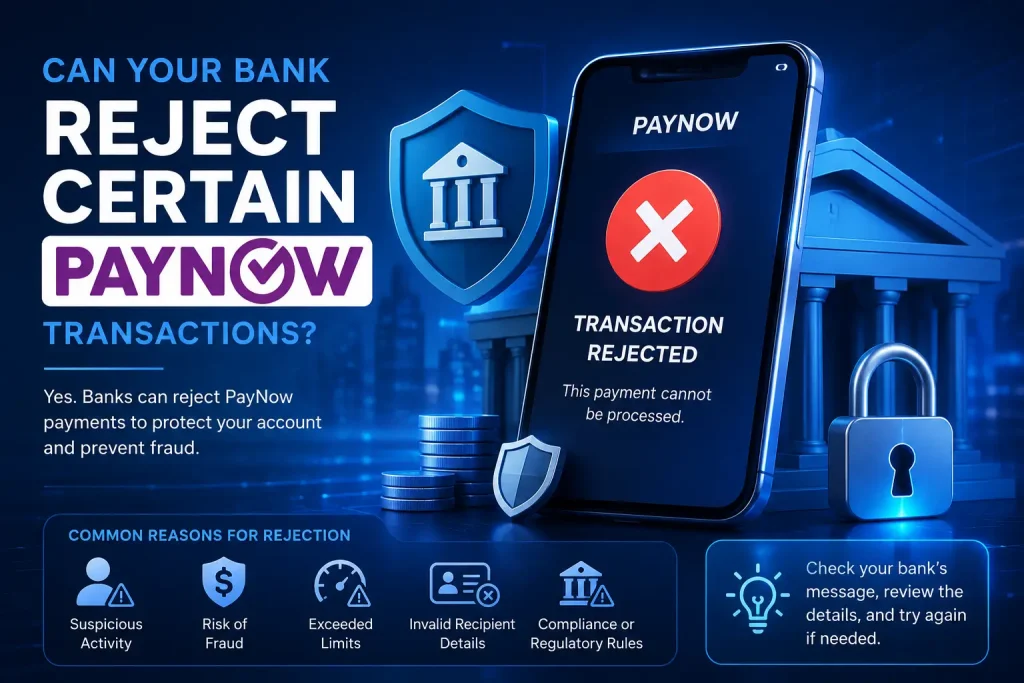
Banks perform their own security, account, transaction-limit, and risk checks. A rejected transfer does not automatically mean PayNow itself is unavailable.
If you repeatedly receive a rejection after checking your balance, limits, and recipient information, review the message from your bank or contact the bank directly.
Read more: Can Banks Block PayNow Casino Transactions?
When Should You Contact Your Bank?
Contact your bank when:
- You cannot determine the final transaction status
- Money was deducted but no clear outcome appears
- A transfer keeps failing despite valid recipient information
- An error message tells you to contact the bank
- You do not recognise the transaction
- A refund does not match the original payment
- Your bank account shows conflicting transaction information
Have these details ready:
- Transaction amount
- Date and time
- Transaction reference
- Recipient name
- Error message
- Screenshot of the transaction status, if available
Do not share passwords, PINs, OTPs, or full login credentials with anyone.
How to Reduce PayNow Payment Problems
A few checks before sending a payment reduce avoidable errors.
Review the Recipient: Confirm the name displayed by your bank before approving the transfer.
Check Your Remaining Limit: Do not assume your full daily transfer allowance is still available.
Check Your Available Balance: Use the available balance rather than the headline account balance.
Follow Current Payment Instructions: Use the current PayNow details or QR provided for the transaction.
Check the Final Status Before Retrying: A failed transaction and a pending transaction require different actions.
Keep Your Banking Access Secure: Use your bank’s official app and review every payment before authorising it.
A Simple PayNow Rejection Framework
When a PayNow payment does not go through, use this order:
Step 1: Check the transaction status.
Step 2: Check whether money was deducted.
Step 3: Check whether money was refunded.
Step 4: Read the exact error message.
Step 5: Check your available balance and transfer limit.
Step 6: Verify the recipient.
Step 7: Retry only after confirming the first payment failed.
This sequence helps separate a genuine rejected transaction from a delayed or successfully completed payment.
Frequently Asked Questions
Why was my PayNow payment rejected?
Common reasons include insufficient available funds, an exceeded transfer limit, invalid recipient details, authentication problems, recipient-account issues, or a temporary banking problem. Check the exact transaction status and error message first.
Why did my PayNow payment fail even though I have enough money?
Your account balance and transfer allowance are separate. You might have enough funds but still exceed your bank’s configured daily or transaction limit.
Should I retry a failed PayNow payment?
Only after confirming the first transaction failed. Do not retry while the payment remains pending or if your bank shows it as successful.
Why was my PayNow payment deducted and then refunded?
The transfer might have been reversed because it could not be completed. Check the recipient information and final transaction status before trying again.
How do I know if my PayNow transfer was successful?
Check your banking app’s transaction history. Look for the final status rather than relying only on a temporary notification.
Can a PayNow payment stay pending?
A transaction might temporarily appear without a final result. If it shows pending, avoid sending another payment until the bank provides a final status.
What should I do if PayNow keeps getting rejected?
Check your available balance, transfer limit, recipient details, authentication process, and bank service status. If no clear cause appears, contact your bank with the transaction reference and error message.
What to Do Next
If your PayNow transaction failed, identify the cause before making another payment. If the transaction shows successful but your casino balance is still missing, the problem has moved beyond the banking stage.
For a broader explanation of PayNow deposits, payment checks, and transaction handling, refer to the PayNow Casino Singapore guide.